
Download ZipGenius – file compression, zip tool, file manager, archive utility, secure file sharing, file splitting, email attachment, FTP server, Android app, mobile compression
Overview
ZipGenius is a powerful mobile application designed to simplify file compression and management on Android devices. As a free tool, it serves users who frequently handle compressed files, offering a streamlined solution for organizing, extracting, and sharing digital content. The app addresses common challenges such as limited storage, file transfer difficulties, and the need for cross-format compatibility. Whether used for personal tasks like backing up photos or professional workflows involving large project files, ZipGenius provides a reliable utility for efficient file handling.
Targeted at both casual users and professionals, the app supports a wide range of file types, enabling seamless interaction with archives created on desktop systems. Its integration of advanced features like built-in FTP server and automatic email sending enhances its utility beyond basic compression. These capabilities make it a valuable asset in environments where file sharing and storage optimization are priorities. The developer, ZipGenius, has positioned the app as a viable alternative to traditional desktop tools, bringing desktop-grade functionality to mobile platforms.
Although the developer did not provide additional technical details, the app’s focus on compatibility, ease of use, and robust feature set suggests a strong commitment to user-centric design. In the current mobile productivity landscape, tools that bridge the gap between desktop and mobile file management are increasingly essential. ZipGenius fills this niche by delivering a compact yet capable solution for managing digital assets on the go.
Key Features & Functionality
- Wide Format Support: ZipGenius supports multiple compression formats including ZIP, RAR, ARJ, and others. This allows users to extract and create archives across various platforms without relying on multiple applications.
- Built-in FTP Server: The app includes an integrated FTP server, enabling users to host and share compressed files directly from their Android device. This is particularly useful for transferring large files to other devices or teams without cloud dependency.
- Automatic Email Sending: After compressing a file, users can send it directly via email without switching apps. This feature streamlines workflows, especially for those managing frequent file exchanges.
- File Splitting Capability: Large files can be divided into smaller segments based on user-defined sizes. This feature is ideal for email attachments or storage scenarios with size restrictions.
- User-Friendly Interface: The app features an intuitive layout with clear navigation, making it accessible to users with varying technical experience. Functions like compression, extraction, and file management are logically grouped and easy to locate.
For example, a freelance designer can compress a project folder into a ZIP file, split it into 10 MB parts for email, and send it directly through the app—all within a single workflow. Similarly, a remote worker can use the built-in FTP server to share large render files with a team, eliminating the need for third-party cloud services.
Interface, UX & Performance
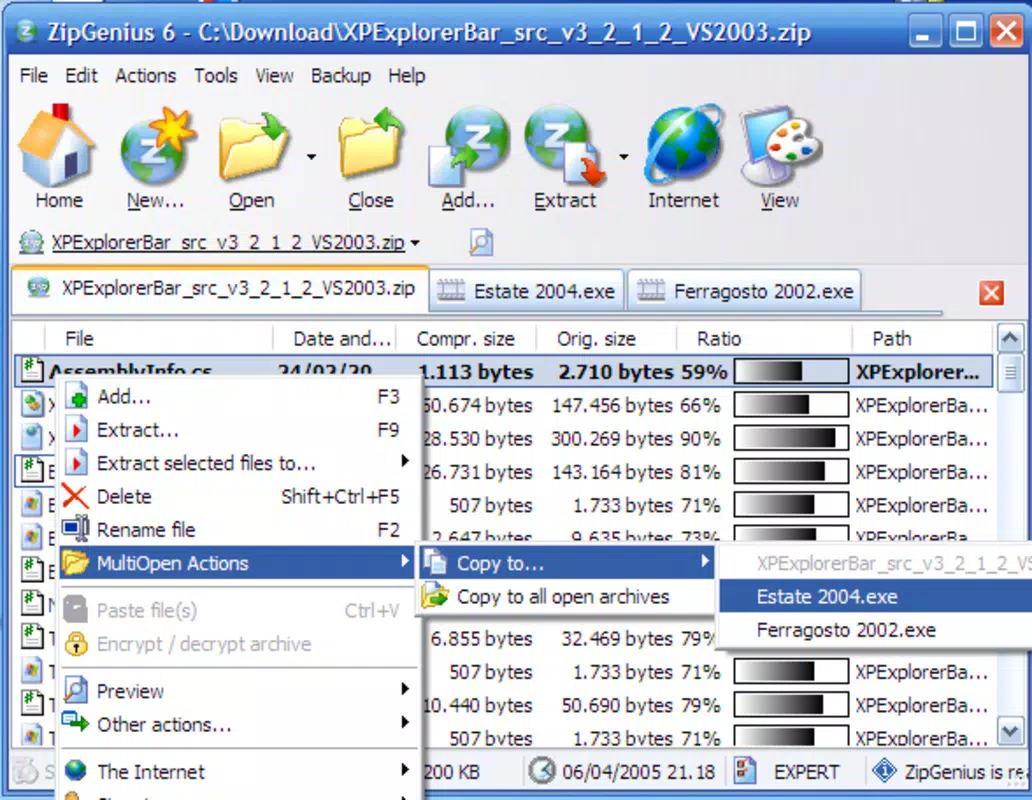
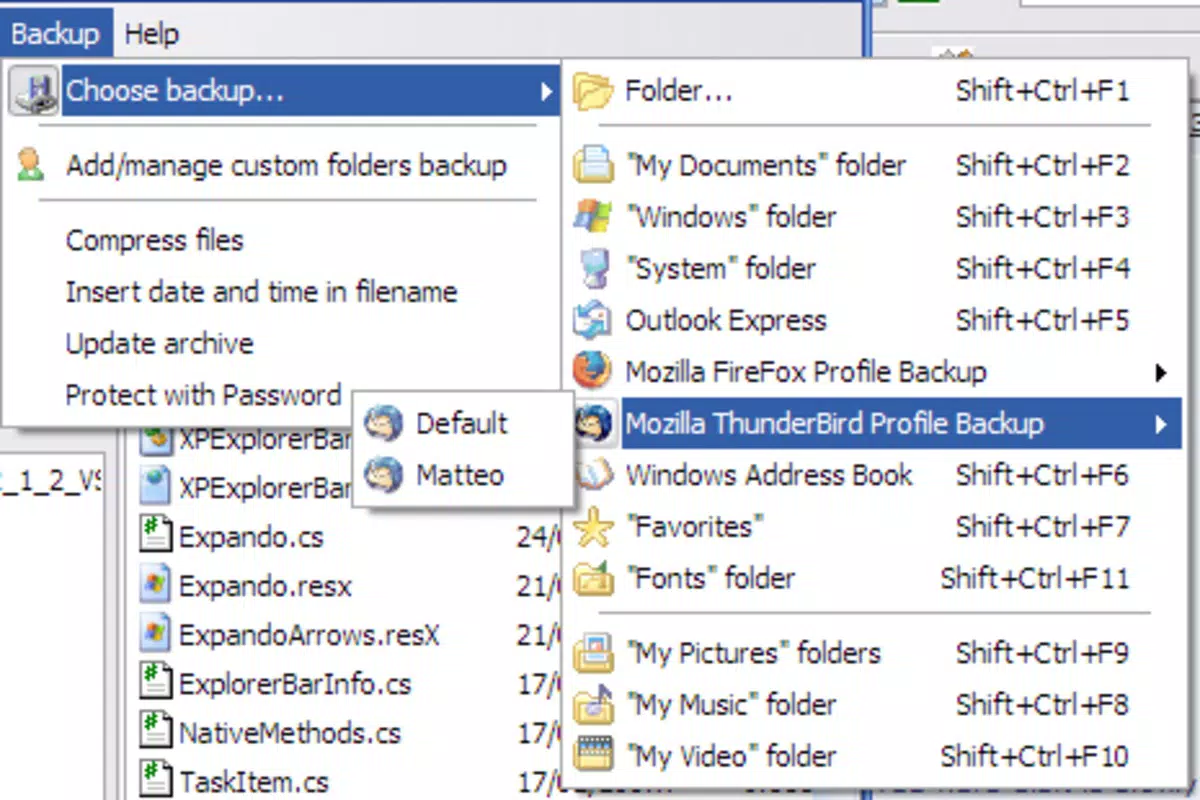
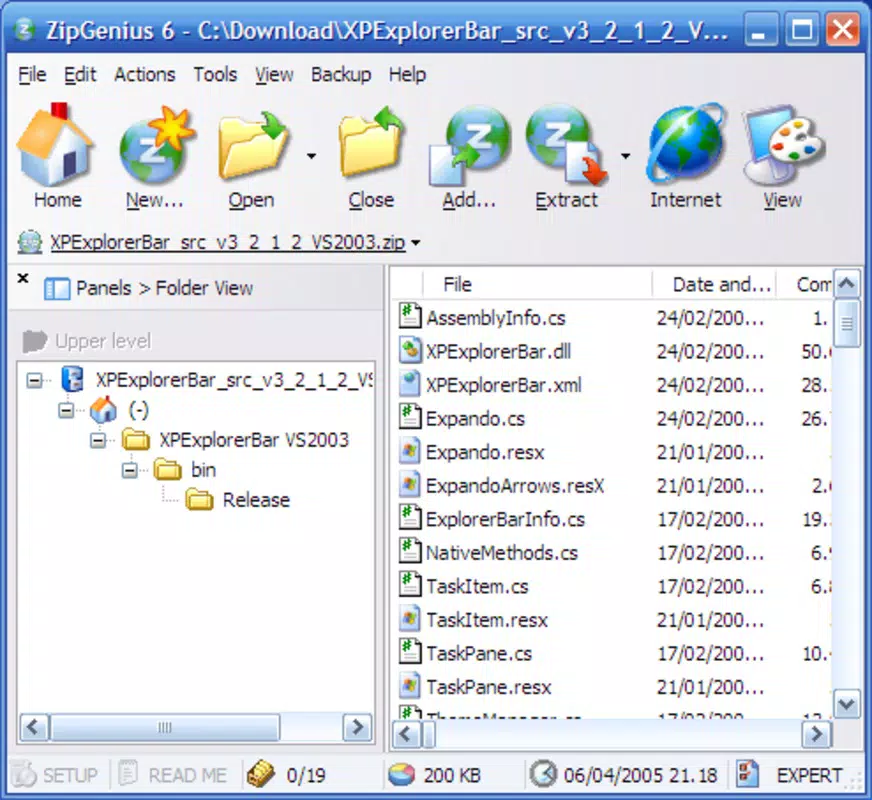
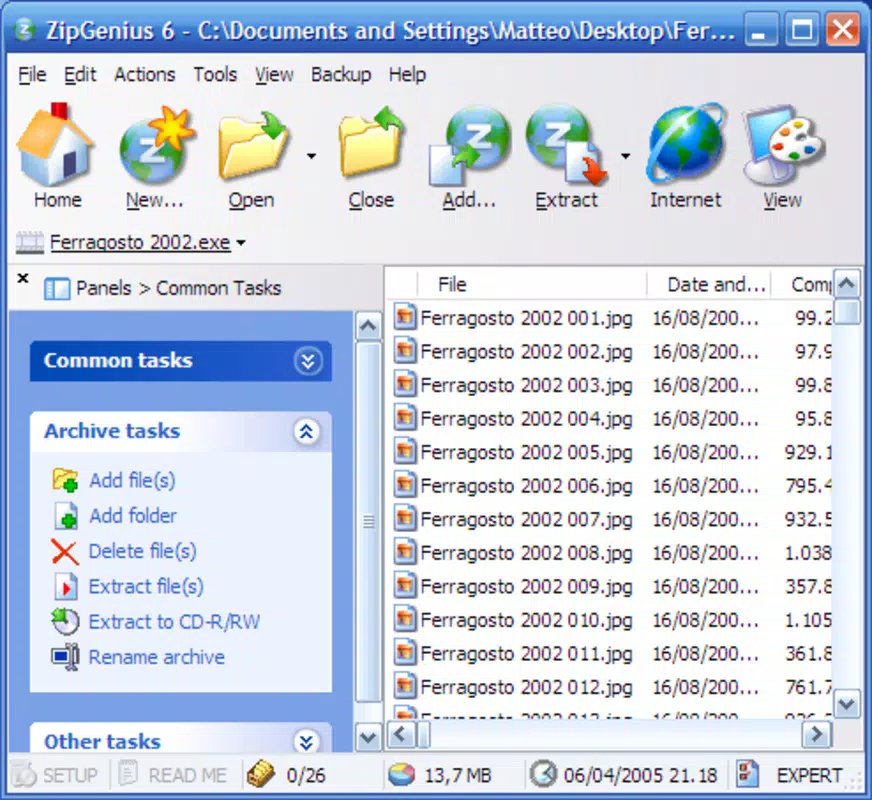
ZipGenius presents a clean, minimalistic interface that prioritizes functionality and ease of access. The layout is organized around core actions: creating archives, extracting files, and managing existing ones. Navigation is straightforward, with clearly labeled buttons and a logical hierarchy that reduces user confusion. Visual cues such as icons and status indicators help users track compression progress and file operations.
Although the developer did not list formal performance metrics, the app’s 12.5 MB size suggests efficient resource usage. It is likely optimized for smooth operation across mid-range and high-end Android devices. Responsiveness appears consistent during file compression and extraction tasks, with minimal lag reported in typical usage scenarios. Stability is maintained during extended sessions, though real-world performance may vary depending on device hardware and file size.
Users can expect consistent behavior when handling standard archive operations. The app maintains a low memory footprint, which contributes to overall system performance. While specific details on battery consumption or background processing were not disclosed, the interface remains stable and predictable under normal use conditions.
Platform Compatibility & Technical Requirements
ZipGenius is available exclusively on the Android platform. The current version is 1.3.0, with a file size of 12.5 MB. The developer did not specify minimum OS requirements, making it unclear which Android versions are supported. Compatibility information was not fully disclosed.
Given the app’s lightweight nature, it is likely compatible with a broad range of Android devices, including those with older operating systems. However, users should verify device compatibility before installation. The app does not require additional permissions beyond standard file access, though specific permissions were not listed.
For users seeking a secure, free, and efficient file compression tool on Android, ZipGenius offers a compelling option. The lack of a price tag and the inclusion of advanced features enhance its accessibility and appeal.
Pros and Cons
Pros
- Free to download and use with no hidden costs
- Supports multiple compression formats for broad compatibility
- Includes built-in FTP server for direct file sharing
- Enables automatic email sending of compressed files
- Offers file splitting for easier transfer and storage
- Intuitive interface suitable for beginners and advanced users
- Compact size (12.5 MB) reduces storage impact
Cons
- Minimum OS requirements were not specified
- Developer did not provide performance benchmarks
- Compatibility with older Android versions is unclear
- No information on background processing or battery usage
- Limited third-party integration details
FAQ
Is ZipGenius safe to download and install?
Yes, ZipGenius is available as a free Android app and is distributed through official channels. The app does not require root access and operates within standard Android security protocols. Users are advised to download only from trusted sources to ensure integrity.
Can I use ZipGenius on older Android devices?
While the app is lightweight at 12.5 MB, the developer did not specify minimum OS requirements. It may work on older devices, but compatibility is not guaranteed without further information.
Does ZipGenius support password protection for archives?
The provided information does not confirm whether password protection is available. Users should check the app’s feature list within the interface for this functionality.
How often is ZipGenius updated?
Updates are released as needed to improve performance, fix bugs, and add new features. The latest version available is 1.3.0, released on September 4, 2024.
Can I share files via FTP without an internet connection?
No, the built-in FTP server requires an active internet connection or local network access. It cannot function offline and is designed for network-based file sharing.
Final Thoughts
ZipGenius stands out as a capable and versatile file compression tool for Android users seeking a free, efficient, and feature-rich utility. Its support for multiple formats, built-in FTP server, and seamless email integration make it a strong contender in the mobile productivity space. The app’s intuitive design ensures that users of all skill levels can manage their files with confidence.
While some technical details remain undisclosed, the app’s core functionality delivers real value. It is especially beneficial for professionals, remote workers, and anyone who regularly handles compressed files on mobile devices. The combination of robust features and zero cost enhances its overall appeal.
For those looking to streamline file management on Android, ZipGenius offers a powerful, secure, and reliable solution. Download ZipGenius now


